How to log into your customer dashboard
1. Go to: https://tanglesandtail.com/customer-dashboard
2. Type the email address in that you used to sign up to Entangled
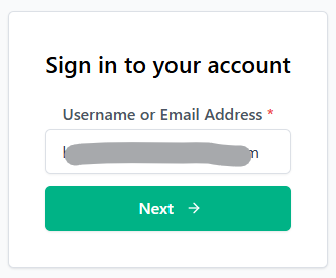
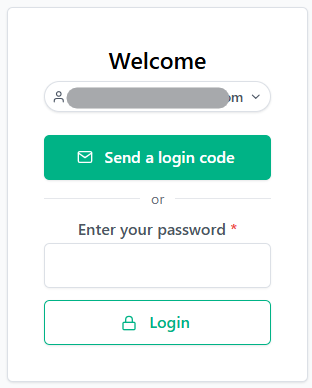
3. If you know your password you can enter your password and click ‘Login’. If you don’t know your password or it’s the first time logging in click the green ‘Send a login code’ button. You will be sent an email with a “magic link”, click this and it will log you in automatically.
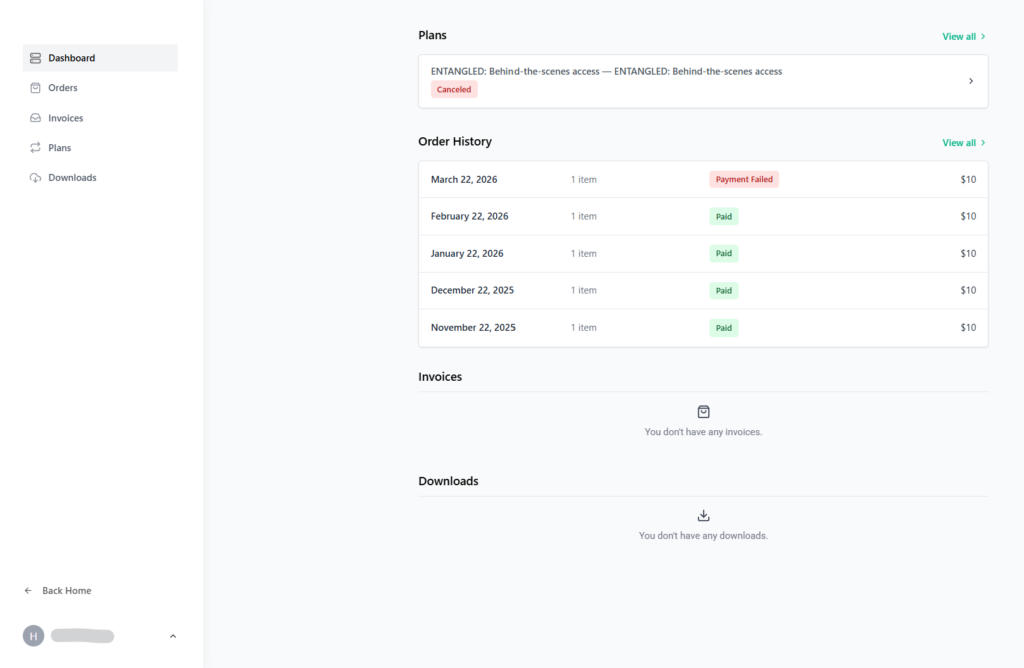
Once logged in you will land on the dashboard, from here you can access your Entangled Membership, download invoices, update card details and your personal details.
How to update your card details
*Follow the instructions above on How to log into your customer dashboard
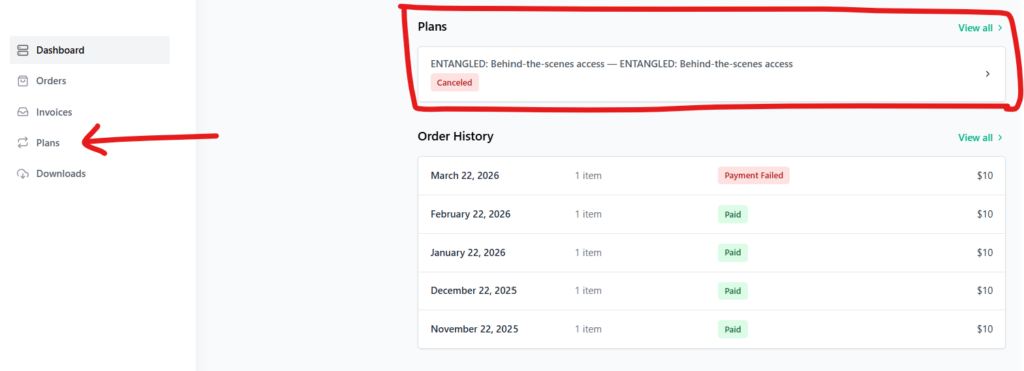
1. Once logged in to the dashboard you should be able to see your active Plan at the top of the screen, click on that. If you can’t see your active plan, click ‘Plans’ in the left side menu
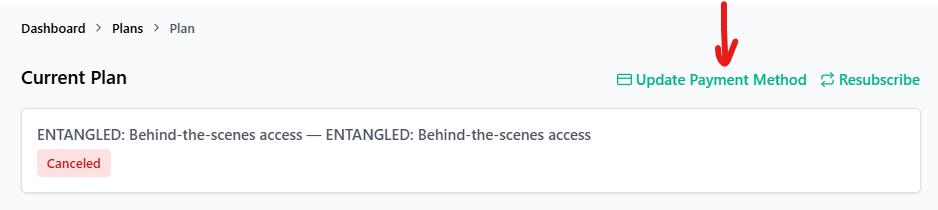
2. On the next screen, click ‘Update Payment Method’
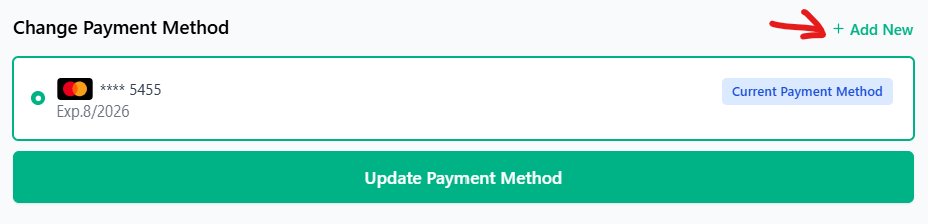
3. Click on the ‘Add New’ link in the top right corner.
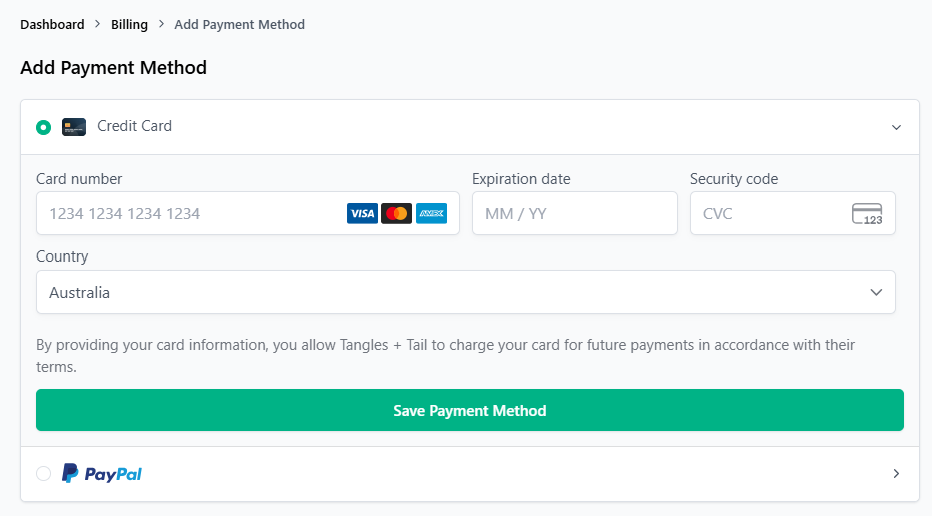
4. On the next screen you can enter Credit Card details or PayPal information. Once you have entered the information make sure you click ‘Save Payment Method’
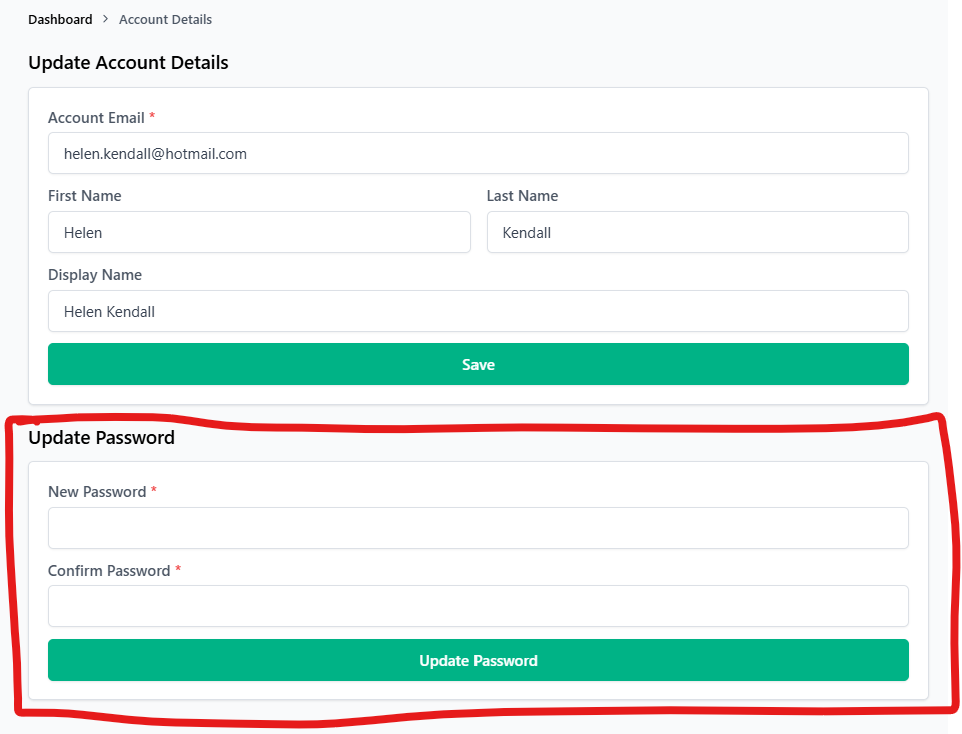
How to set/change your password
*Follow the instructions above on How to log into your customer dashboard
1. Once logged in to the dashboard click your namein the bottom left corner to open the menu, then click ‘Account’
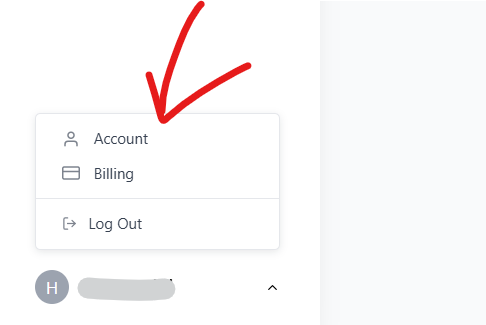
2. On the next screen you can enter in your new password, then click ‘Update Password’. This will set your password for future log ins, or you can always use the “magic link” option.